
A look inside Xpert-Timer
Screenshots from the products and the add-on modules. Click an image to enlarge it; the arrow keys page through the gallery.
Xpert-Timer basic
The single-seat edition for freelancers and sole traders: record, analyse and invoice project time.
-

The project manager: projects, tasks, time stamps and reporting in one window -

The time bar at the edge of the screen, here with no project running -

Projects and sub-projects as a tree, with the time needed for each entry -

Reporting: recorded times summed up, grouped and shown as a chart -
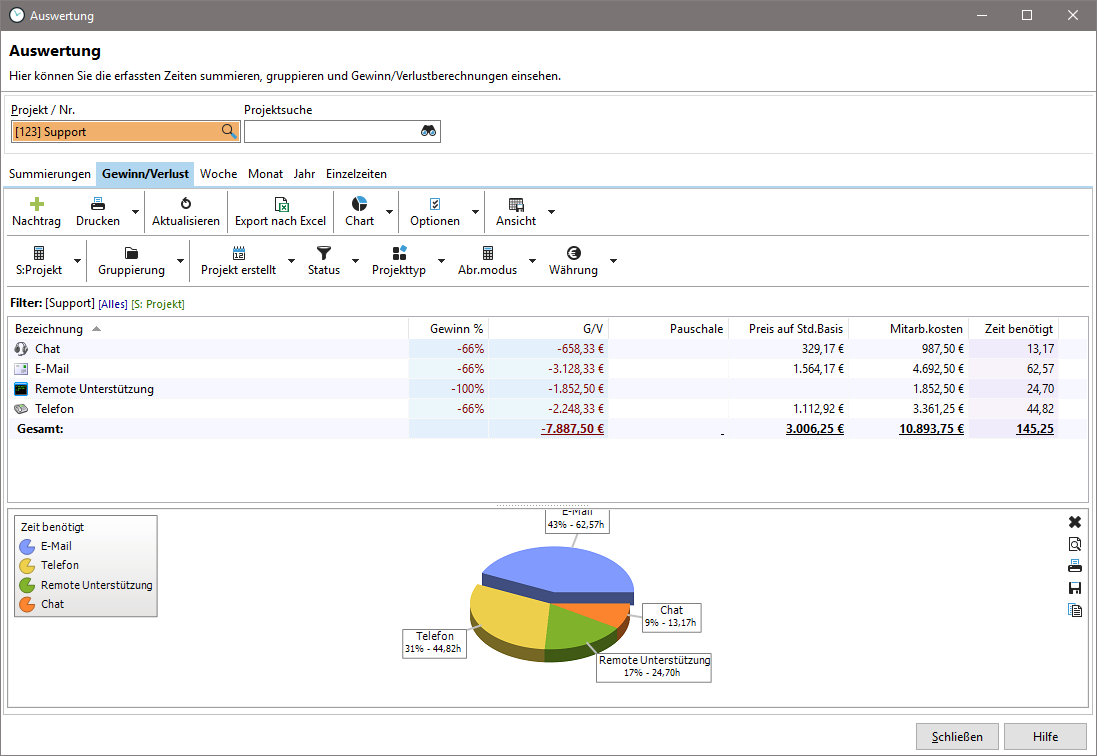
Profit and loss per project against staff costs -
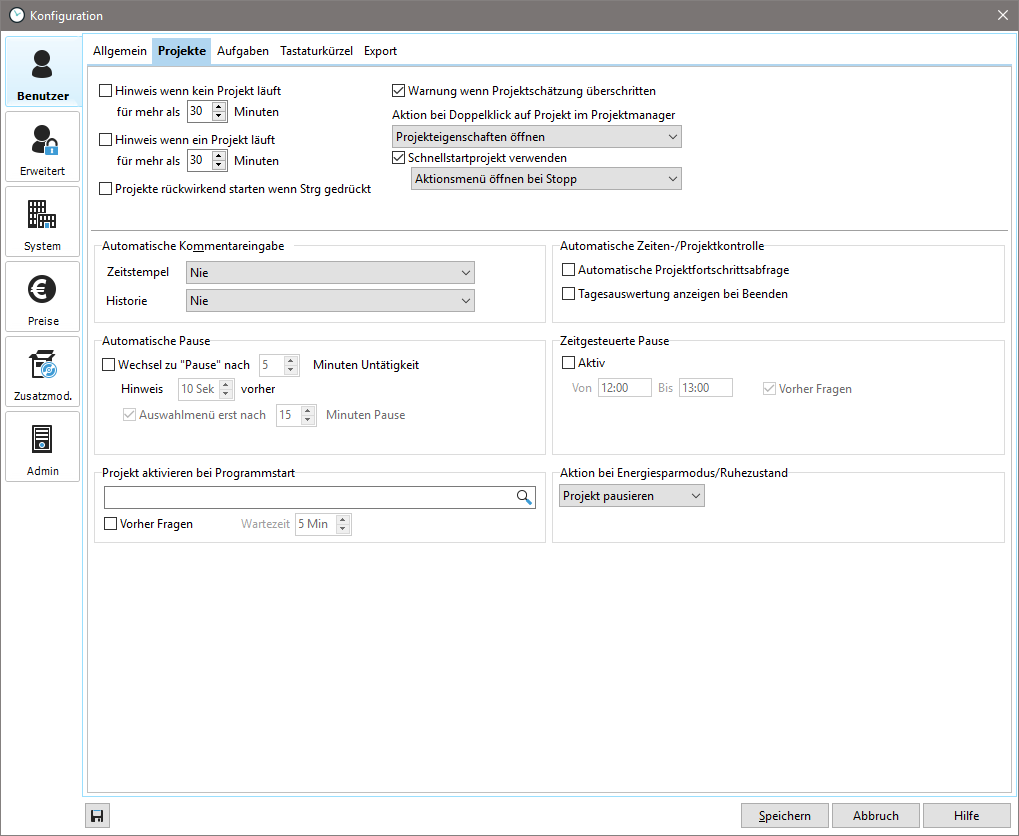
Settings: reminders, automatic breaks and comment prompts -
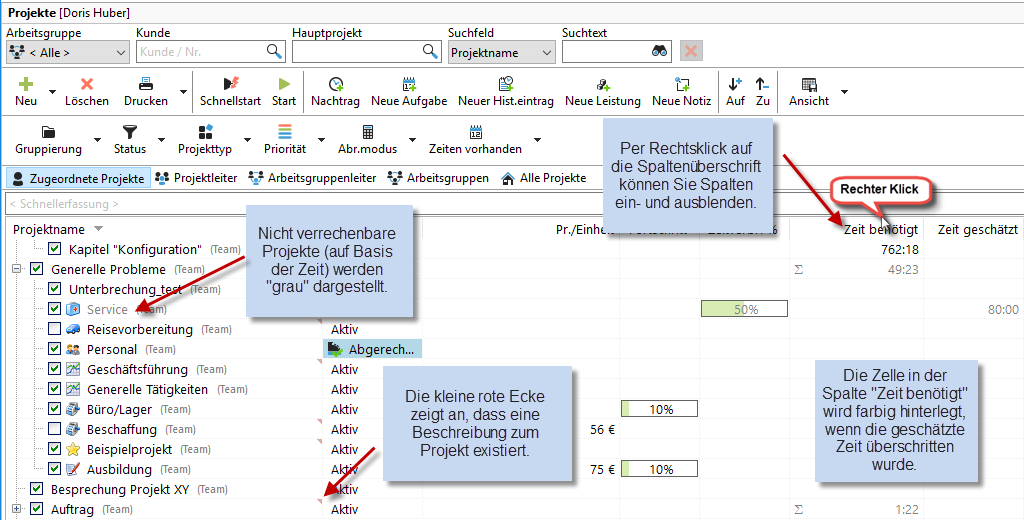
Notes on the project list: columns, colours and descriptions
Xpert-Timer pro
The multi-user edition on one shared database: customers, projects, sub-projects and tasks across the team.
-

The project manager with a customer level: projects, sub-projects and the booked times -

The time bar with the running project, the employee and the daily total -
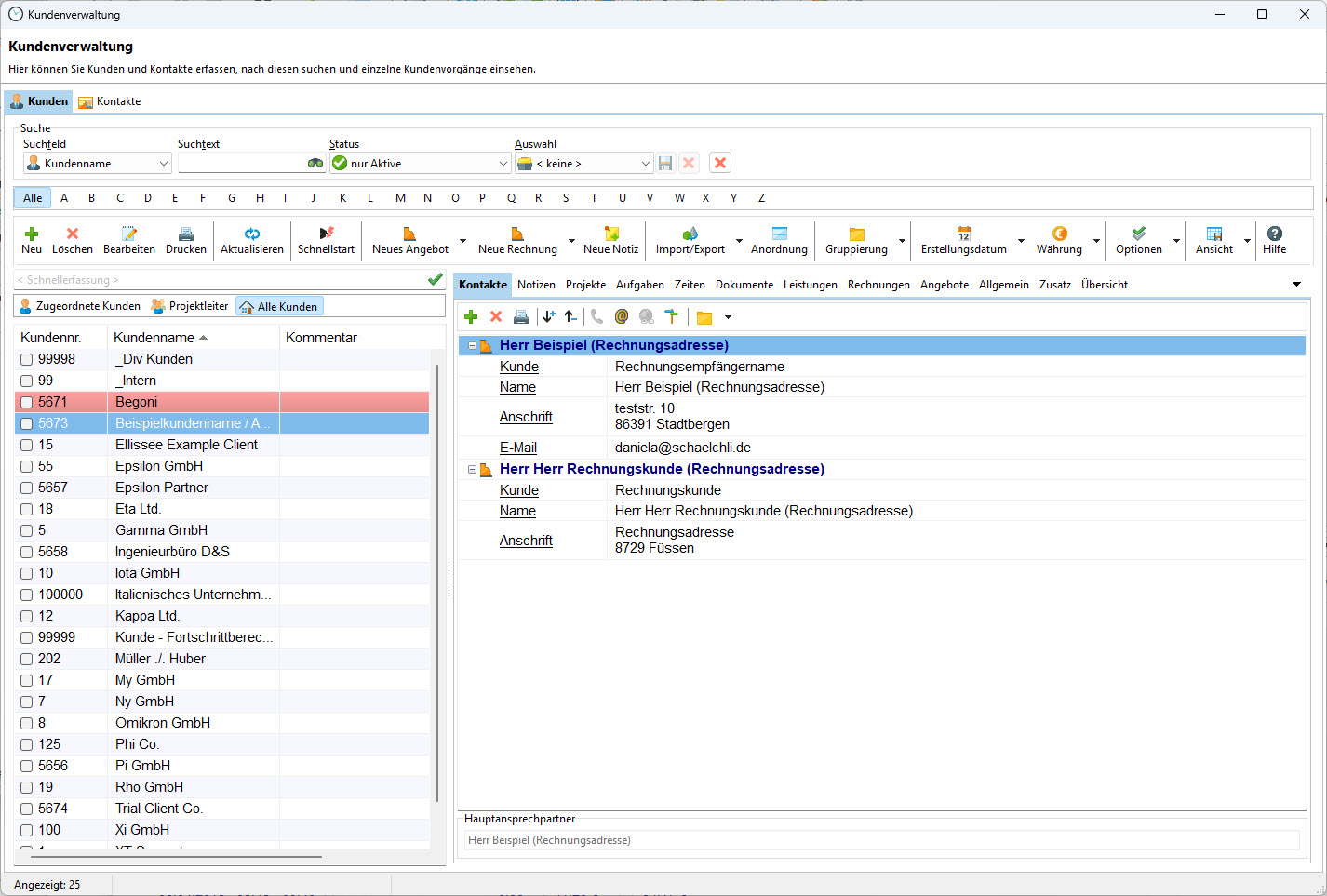
Customer management with contacts, projects, times, documents and invoices -
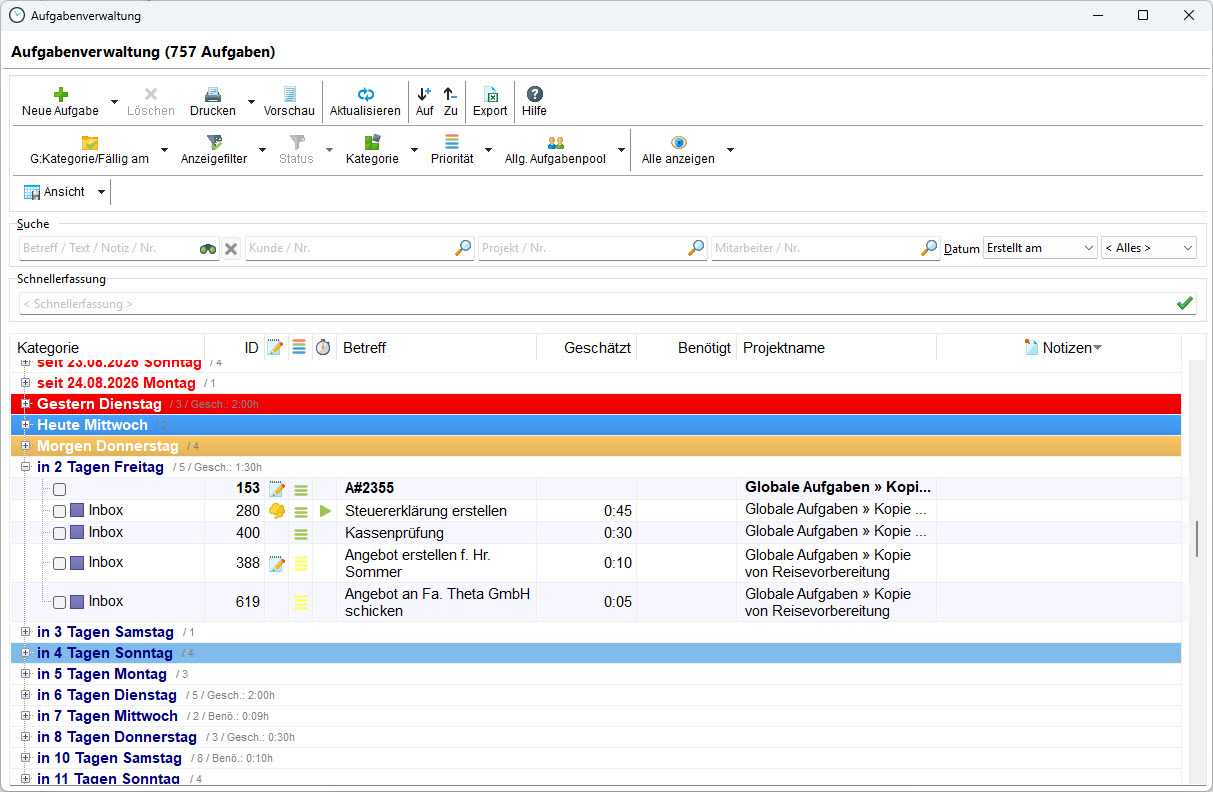
Task management, grouped by due date -

Times summed up by employee and project -
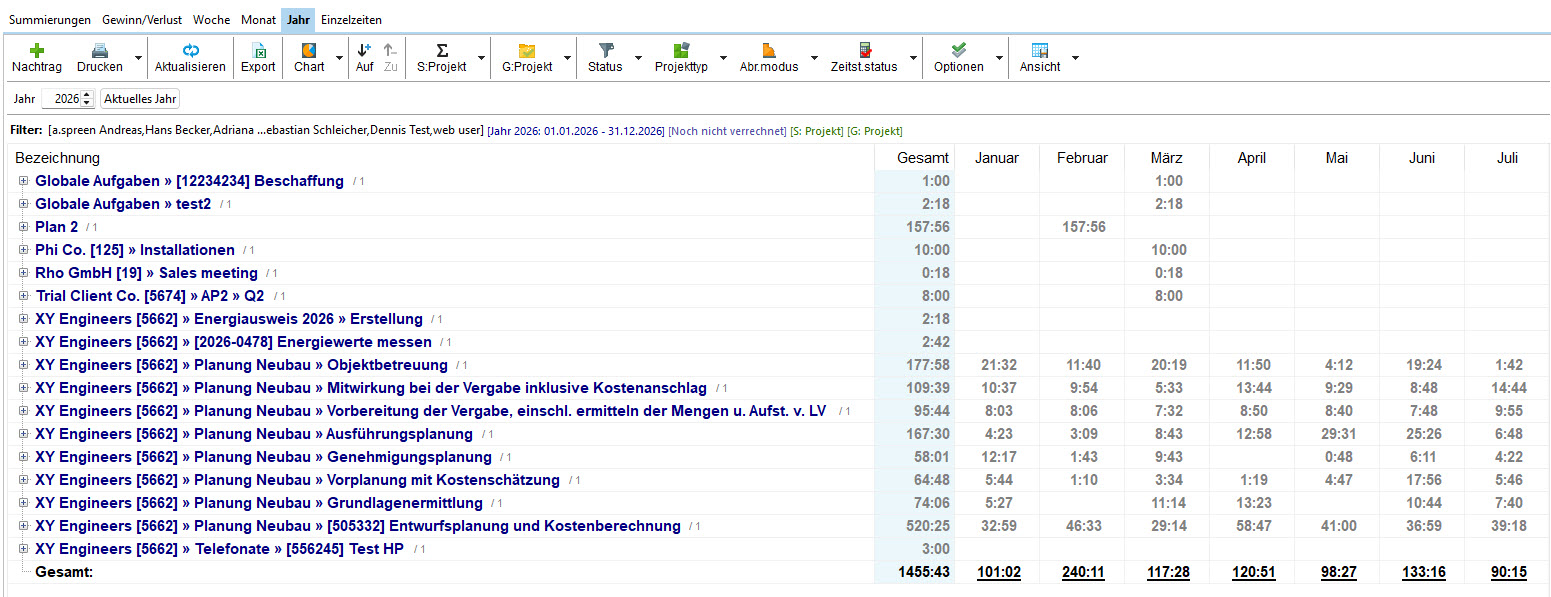
Annual report: booked times per project and month -
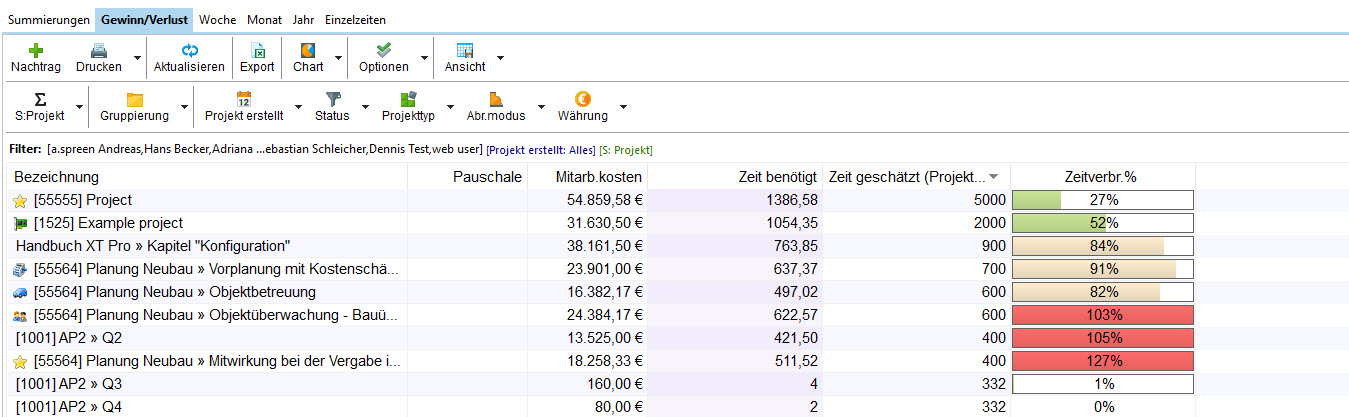
Profit and loss with time spent against the estimate -

Permission groups: what each group may see and change -
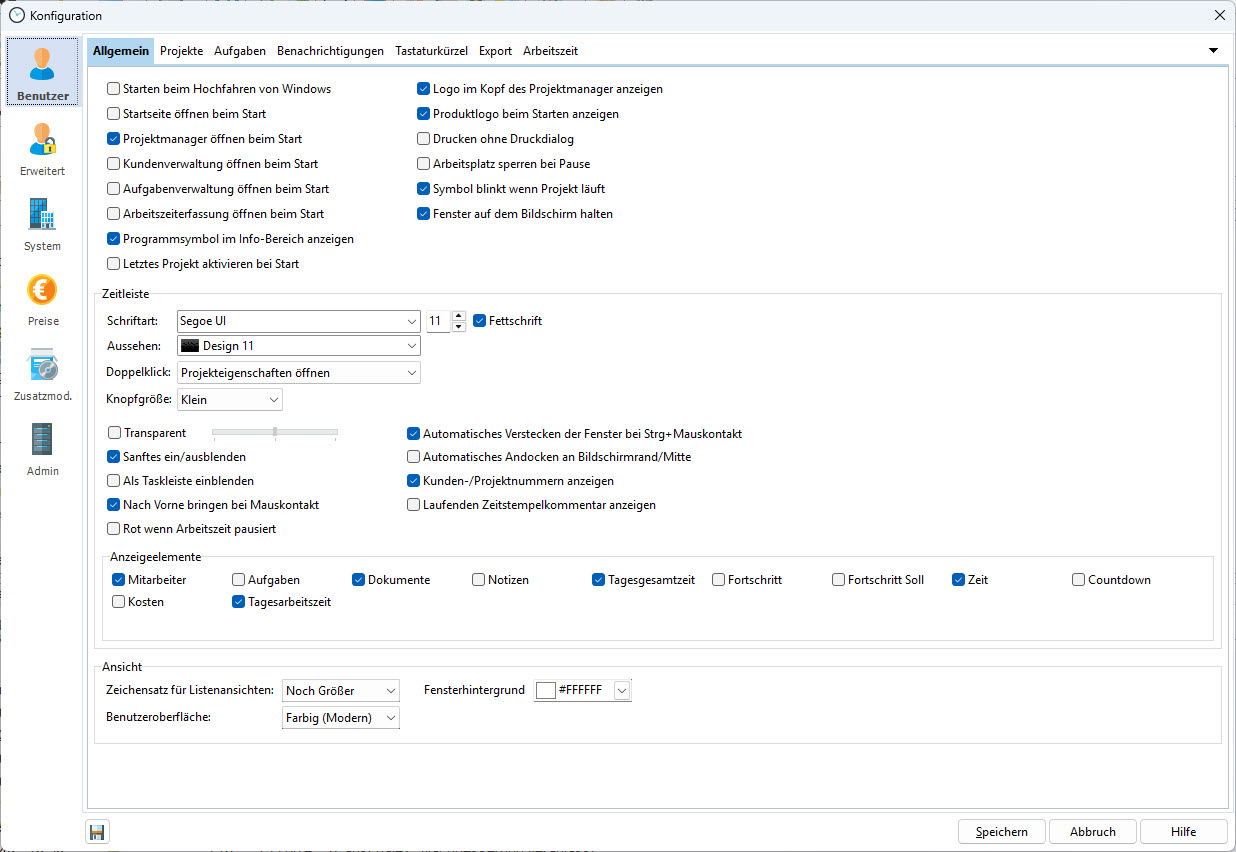
Settings for program start, the time bar and the elements on display -
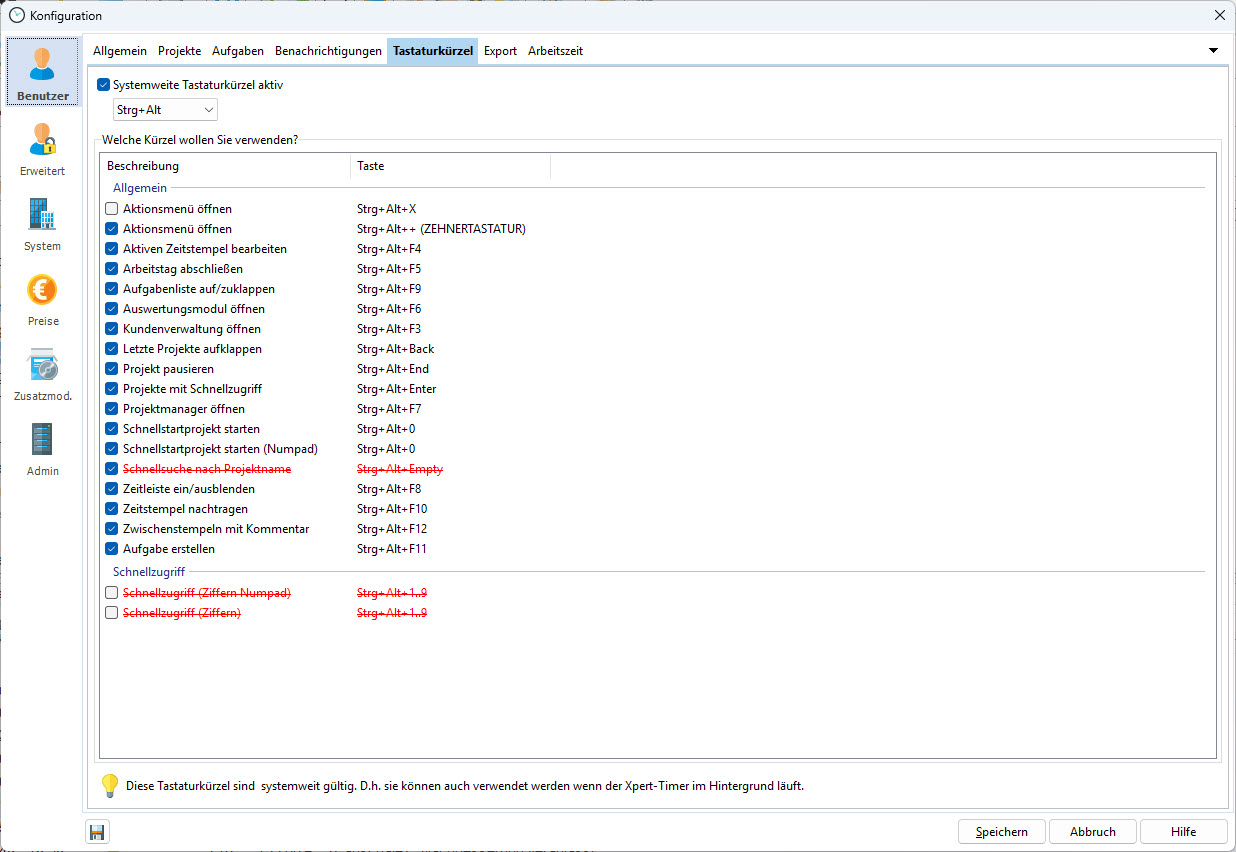
System-wide keyboard shortcuts, even while the program runs in the background
Working time tracking
The add-on module for attendance times: clocking in and out, breaks, holiday and overtime.
-
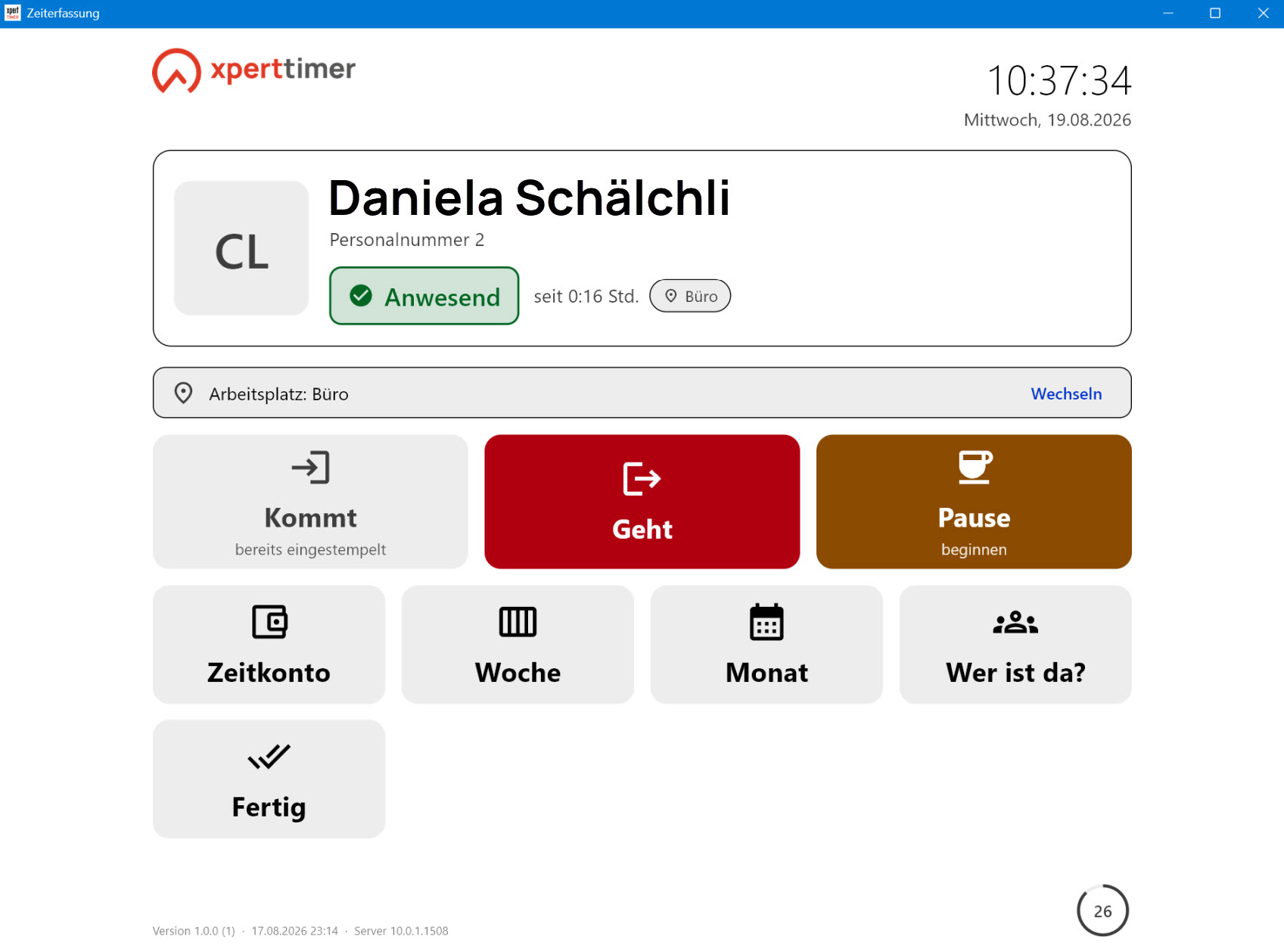
Full-screen time clock: clock in, clock out and breaks with a single click -
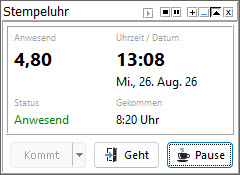
The compact time clock on the desktop, always within reach -

Main window with overtime and holiday accounts plus the bookings for the month -

Working time report: monthly view with actual and target hours per day -

Annual summary with target hours, attendance, holiday, sickness and overtime -
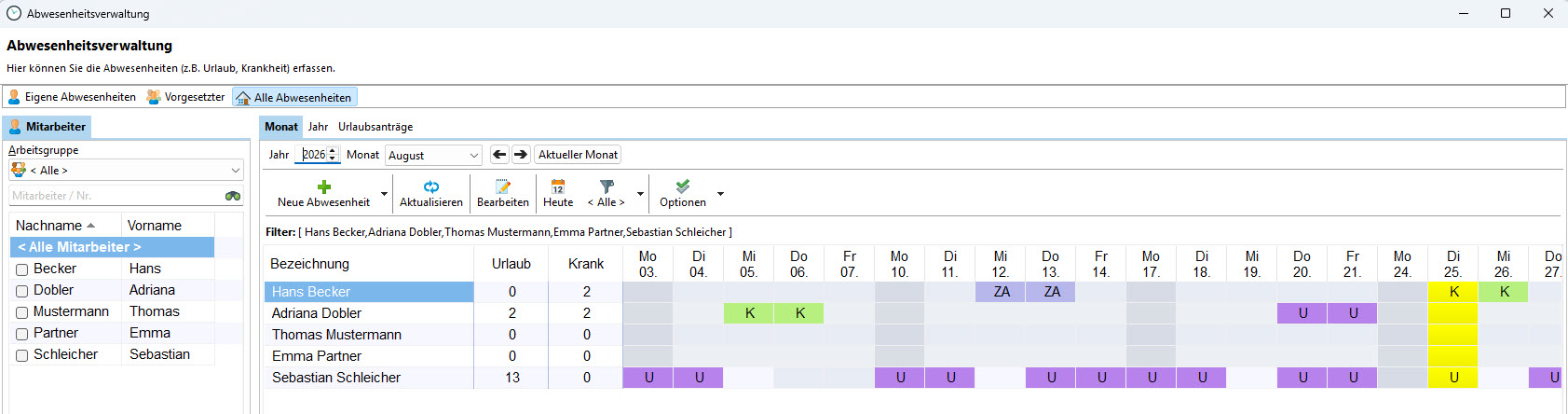
Absence management: holiday and sickness in the team calendar for the month -

Employee overview: attendance, overtime, holiday entitlement and sickness rate
Xpert-Timer web
Browser-based time tracking in an on-premise installation — on your own server.
-

Xpert-Timer web on the desktop and on a phone — same data, same interface -

The dashboard in the browser: customers, projects and tasks, the hours for today and this week, the running timestamp and the project starter -

Reporting: the timestamps of the last seven days with duration, project and comment -

Working time: time clock with presence status, next to it the daily totals with actual, target and difference -

Annual report in dark mode: monthly totals as a table and as a bar chart -

Dark mode with the list of recently used projects opened -

The dashboard on a phone — start a project and see the running timestamp, no app to install -

Project list on a phone, with a status for each project and a start button -

Reporting on a phone: timestamps by date, with duration and project
Invoicing module
Turn recorded times directly into an invoice, including a collective invoice per customer.
-
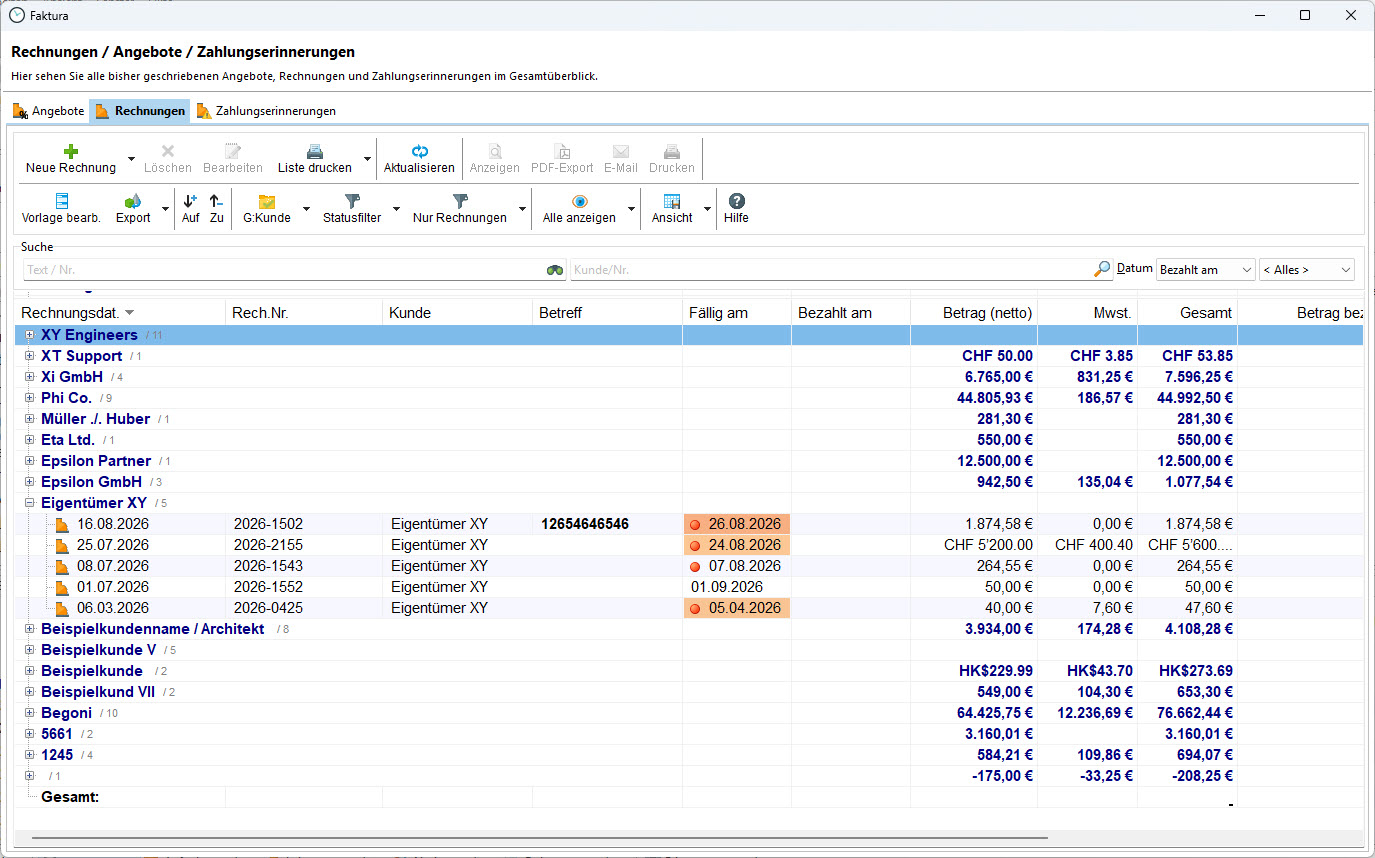
Quotes, invoices and payment reminders at a glance -
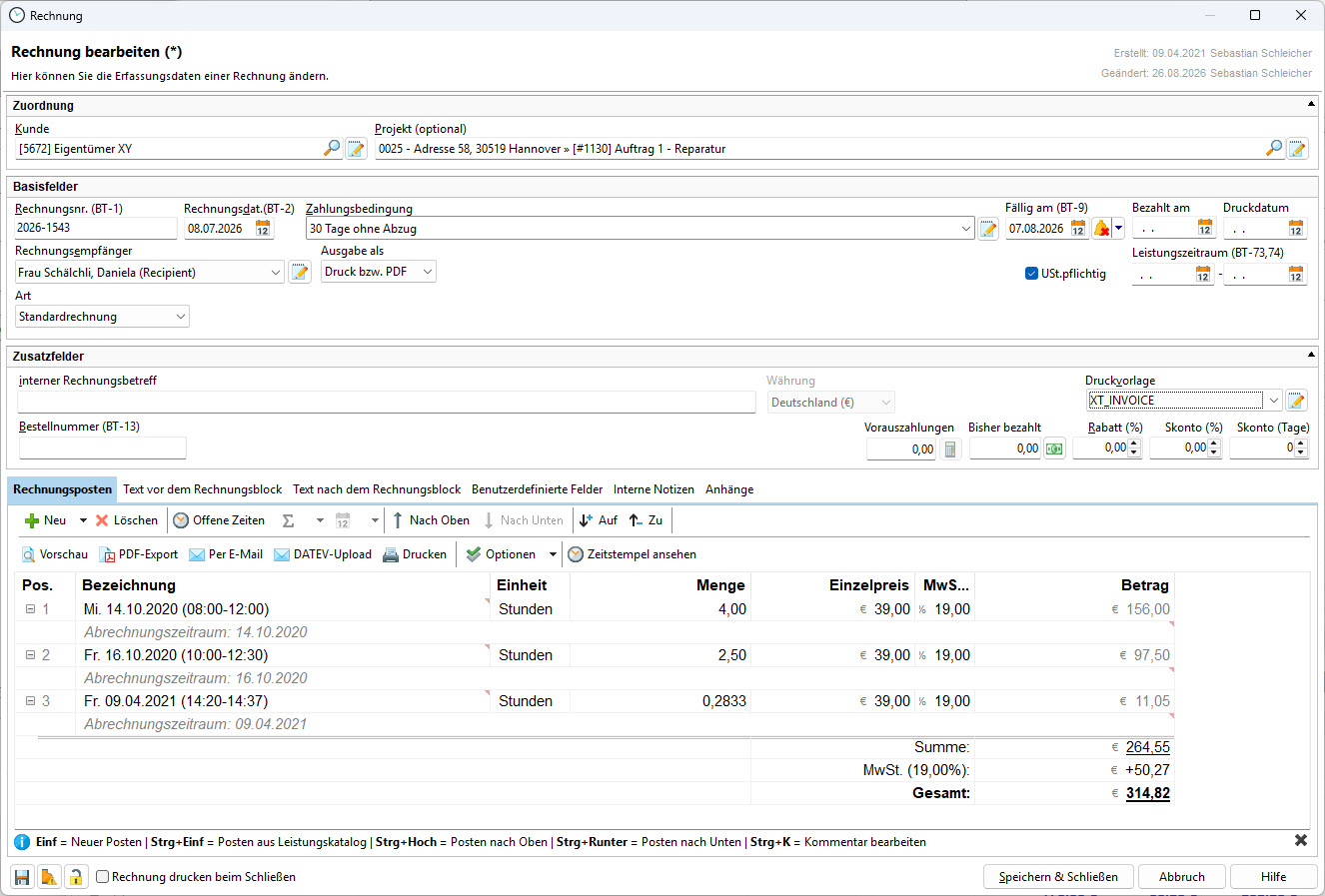
Editing an invoice: the line items come from the recorded times -
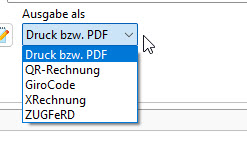
Output formats: PDF, QR invoice, GiroCode, XRechnung and ZUGFeRD -
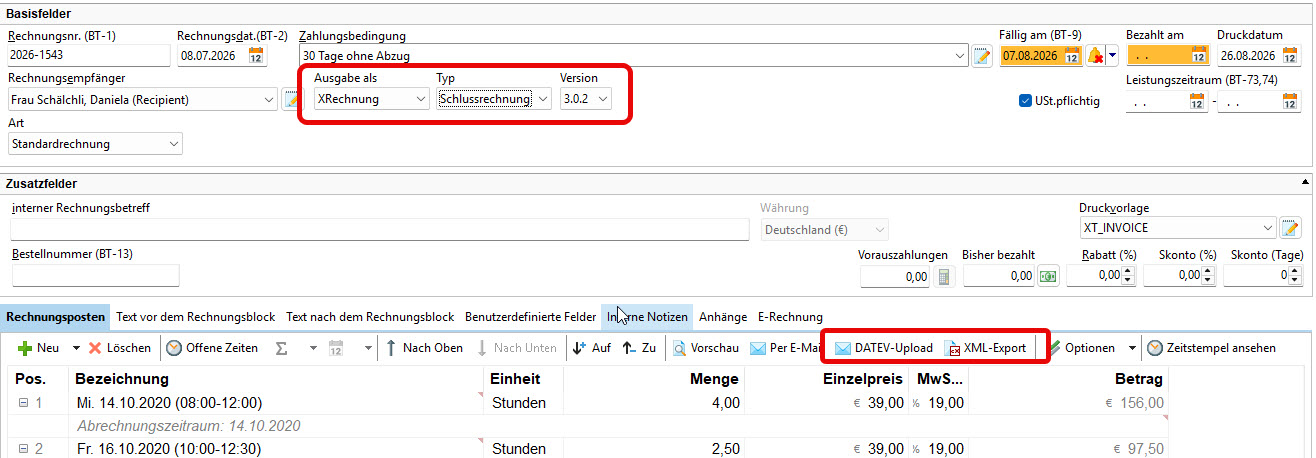
Creating an XRechnung and passing it on by DATEV upload or XML -
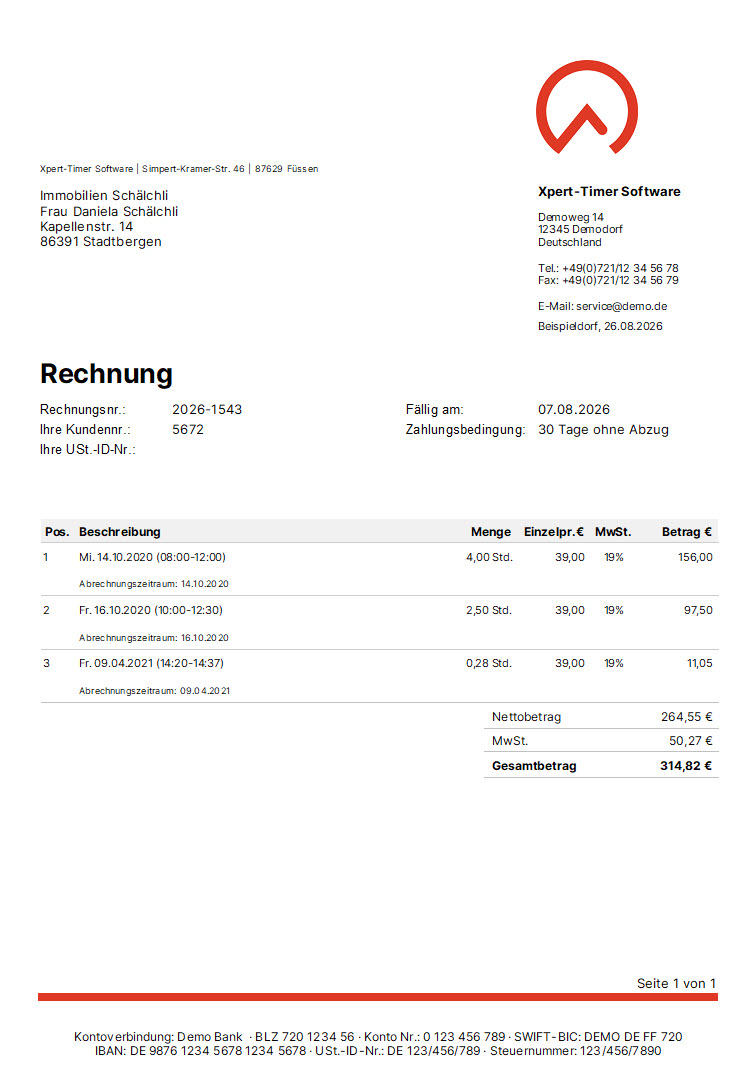
The finished invoice as a PDF
Document management
Keep correspondence, quotes and files with the project instead of searching the file system.
-
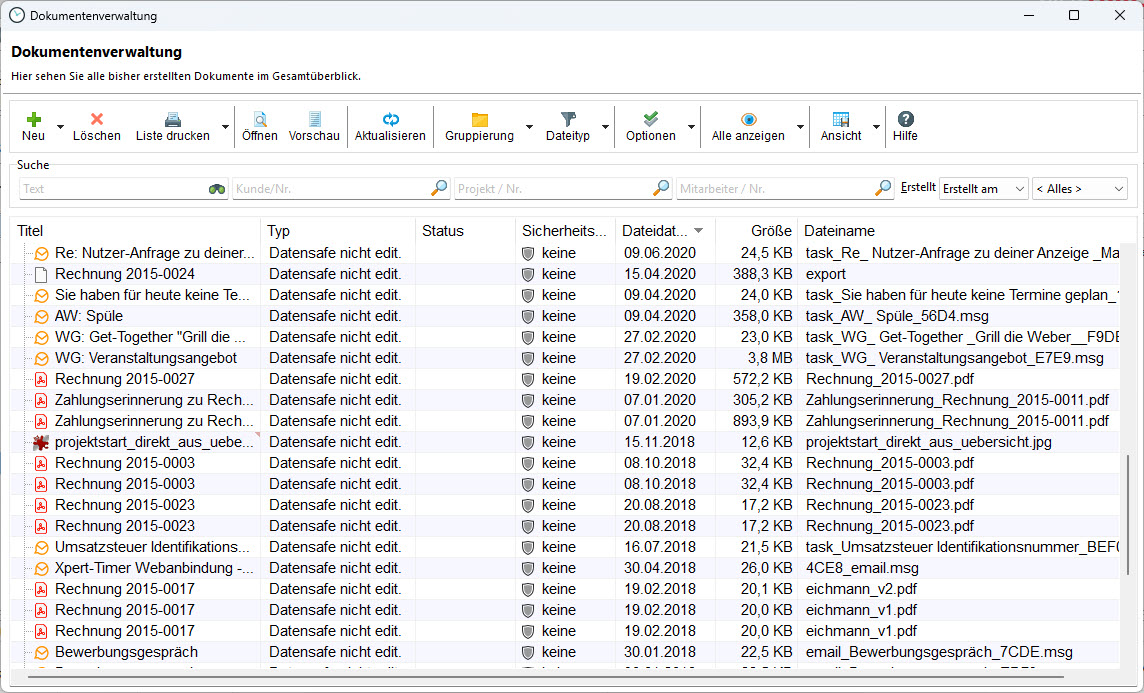
Every stored document at a glance -
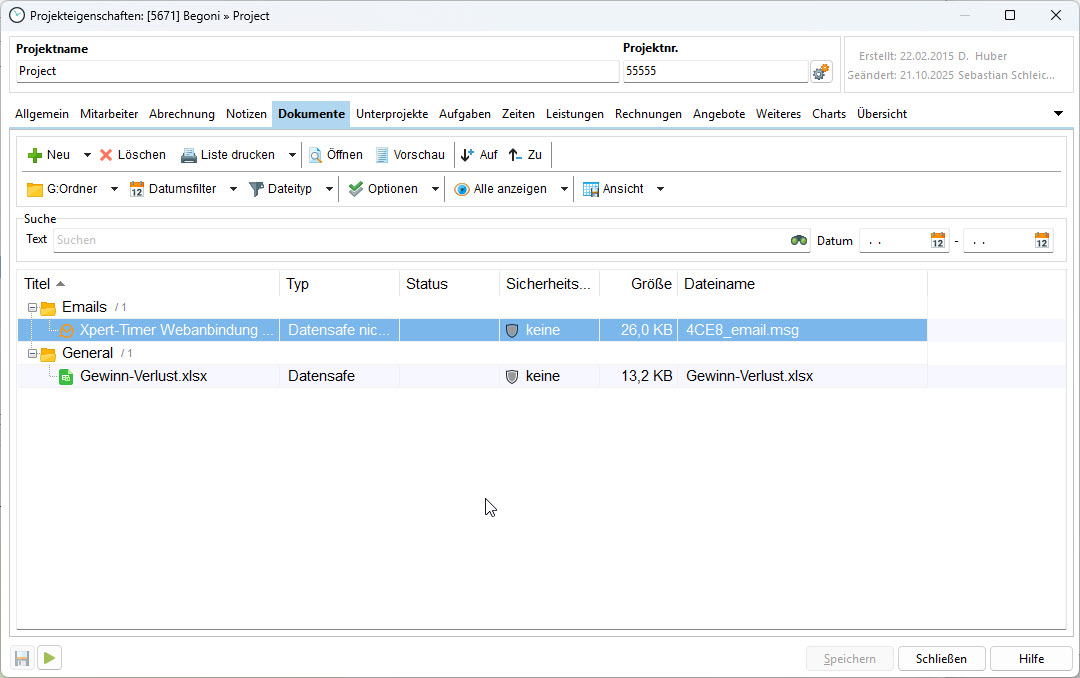
Documents and e-mails kept with the project instead of in the file system -
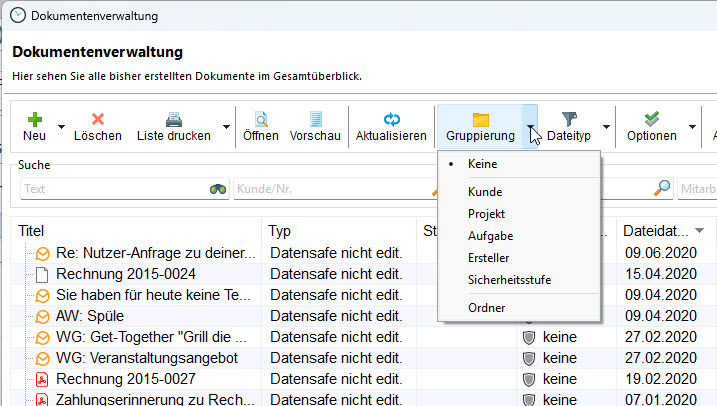
Grouping by customer, project, task, author or folder
External cost management
Record material costs, travel costs and other services against the project and its costing.
-
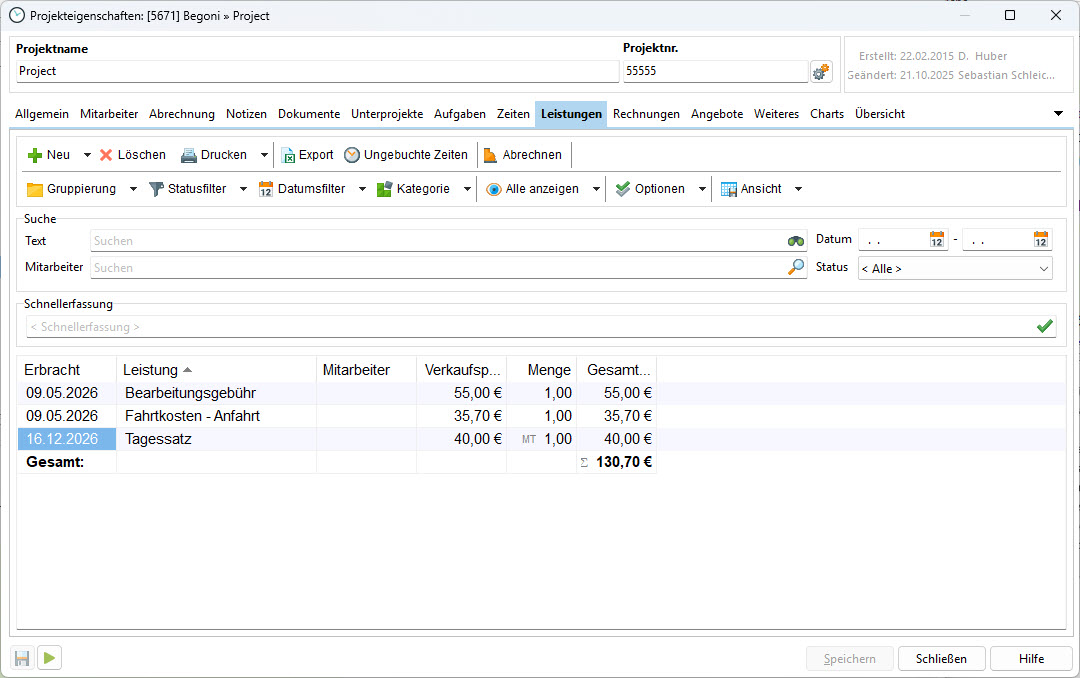
Services on the project: handling fee, travel costs, daily rate -

Service management: every additional service rendered, with its distribution -
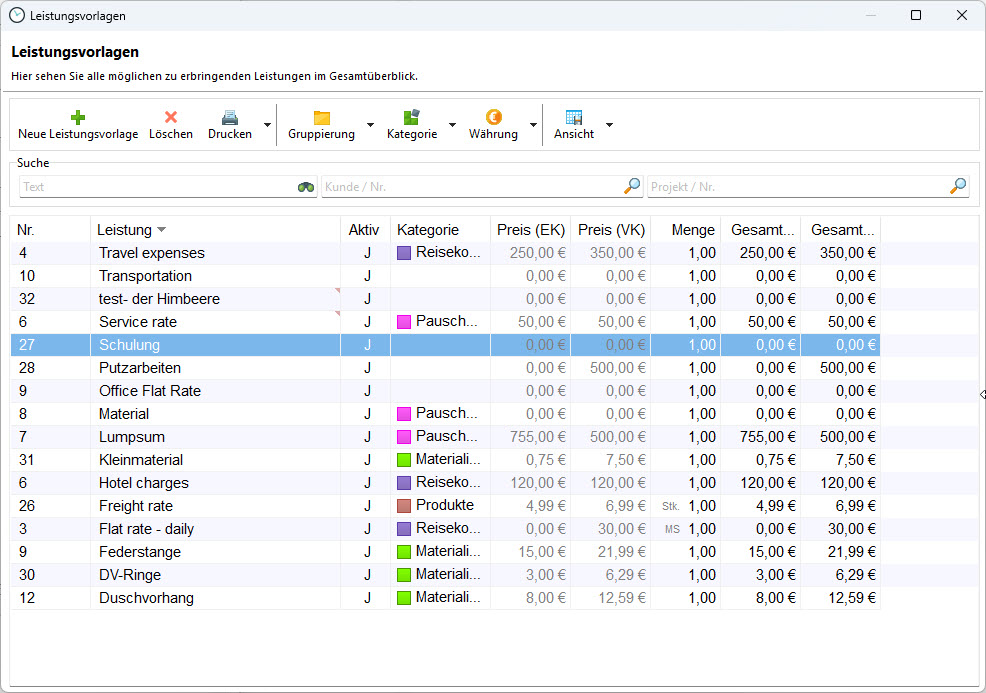
Service templates with purchase and sales prices -
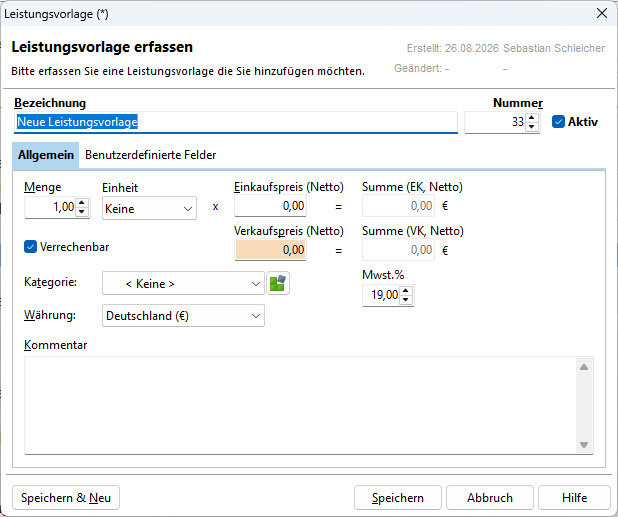
Creating a new service template, billable if required