
Record on the road, bring it together centrally

Not every working hour happens at a desk. On a laptop at the customer's site, on a building site, on a train — often with no network. The XTSynchronisation module lets you record time there anyway and transfer it into the central database later. The same applies to time recorded on an Android device.

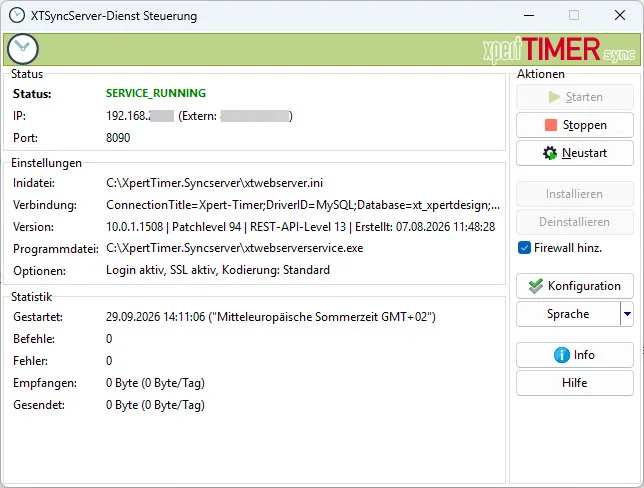
How the transfer works depends on where you are. On your own network it goes directly. From outside, the route runs through the XTSyncServer — the interface that makes your database reachable at a fixed IP address.

Do you need the XTSyncServer?

Two routes lead to the central database. Only one of them needs the interface.

On your own network

No XTSyncServer required

Once the laptop is back in the office and on the LAN, the XTSynchronisation module talks to the database directly. Nothing further needs setting up.

  • Connect the laptop to the company network
  • Start the synchronisation in Xpert-Timer
  • Done — all it takes is the synchronisation module per user

From outside

This is where the XTSyncServer comes in

If you want to transfer while still on the road, without the trip back to the office, the connection runs over the internet. The XTSyncServer sits at a fixed IP address and receives the data.

  • Set up the XTSyncServer once on your network
  • Make the fixed IP address reachable from outside
  • Also required for connecting Android devices

The three building blocks

The server on its own synchronises nothing — it is the interface. Recording and synchronising happen per user, on a Windows machine or on a phone.

XTSyncServer

The interface for the route over the internet. Charged once per installation, not per user. Not needed for pure LAN operation.

Go to the download

XTSynchronisation module

The Windows part. Records time with no connection and synchronises it later — directly on the LAN, or over the internet with the XTSyncServer. Charged per user.

XTMobil for Android™

Time tracking on a smartphone. The data travels through the XTSyncServer into the same database, so the server is always required here. Charged per user.

How a synchronisation runs

1
Record without a connection At the customer's site, on a building site or on a train, Xpert-Timer runs as usual. The time is stored locally; no network connection is needed for it.
2
Establish a connection Back on the company network, the LAN is enough. From the road it goes over the internet to the XTSyncServer at its fixed address.
3
Synchronise The locally recorded time moves into the central database. Every workstation then sees the same state, and the reporting is complete.

Synchronisation is an extension to Xpert-Timer pro. If you already hold that licence, everything else can be put together in the order process.

See prices

Common questions about synchronisation

Do I need the XTSyncServer if I only work on my own network?

No. If the machine is back on the company network when synchronising, the XTSynchronisation module is enough. The XTSyncServer is only needed when the connection runs over the internet — or when Android devices are to be connected.

Do I need Xpert-Timer pro?

Yes. All three building blocks are extensions to Xpert-Timer pro and work on its database. There is no second data store.

How often do I have to synchronise?

As often as you like. Until then the time stays locally on the device and is not lost. What counts for reporting at head office is what has been transferred — synchronise daily and you have the complete picture daily.

What does synchronisation cost?

The XTSyncServer is charged once per installation; the synchronisation module and the Android connection are charged per user. Current amounts are shown in the order process under ‚Mobile & synchronisation‘.

Is the data held by an outside provider?

No. The XTSyncServer runs on your own hardware, and the time tracking data stays in your own MS SQL, MySQL or MariaDB database. Transfers happen only between your own devices and your own server.

Enlarged view